
Integration Builder Visualize every device integration with NewCura
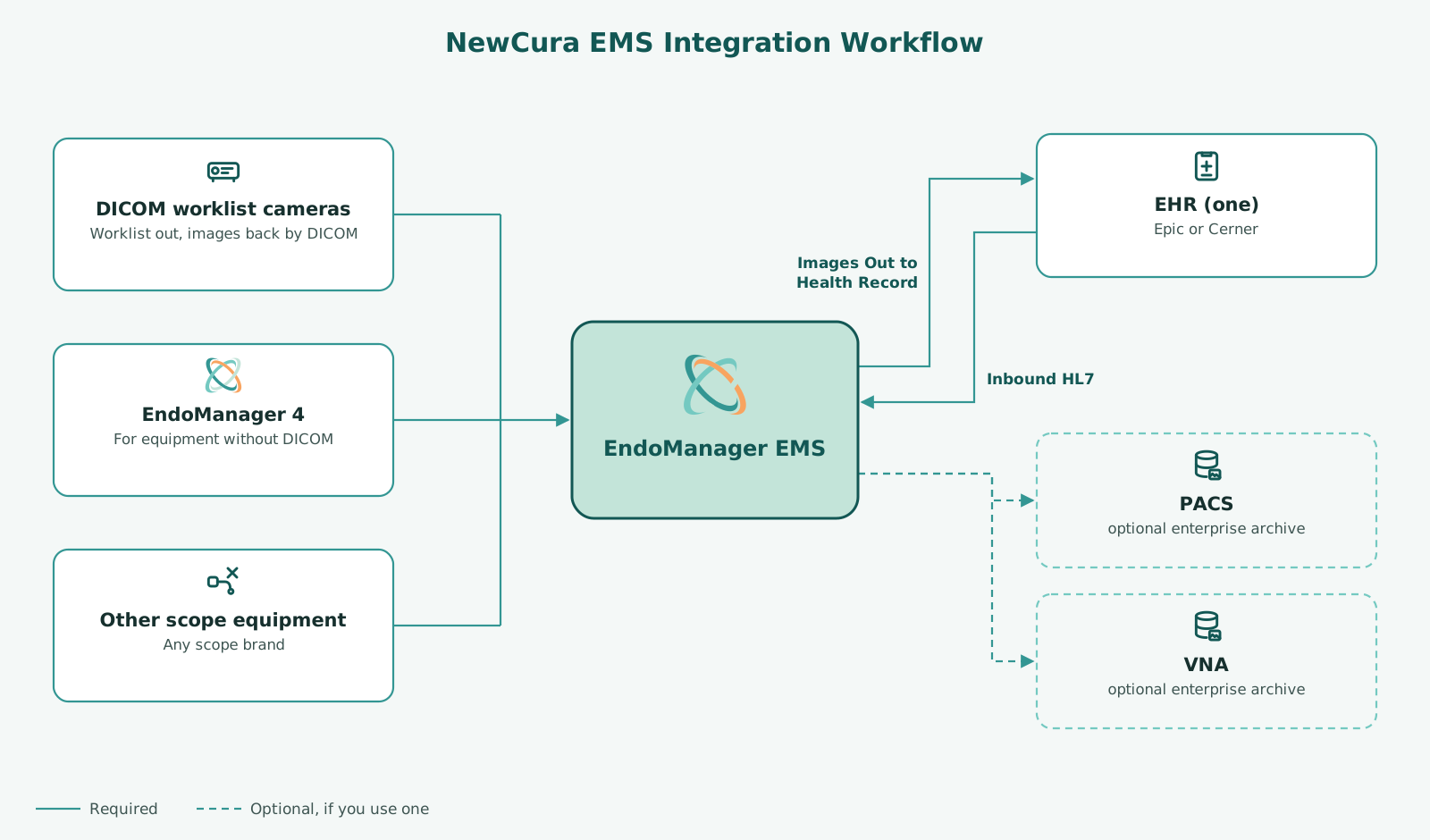
Integration library
Choose equipment, an optional EndoWriter, one EHR, and any PACS or VNA. The page address keeps your selection so you can share it. The list starts with featured systems. Search to see the rest.
- Category
- GI video processor
- Vendor
- Fujifilm
- Model or product
- ELUXEO 8000
- Model numbers
- EP-8000 (combined processor + LED light source); EP-8000
- Direction
- Both
- Category
- GI video processor
- Vendor
- Olympus
- Model or product
- EVIS X1
- Model numbers
- CV-1500 (combined processor + LED light source)
- Connection method
- EM4 capture client
- Capture
- Stills and video. EM4 required. No DICOM. Two-way RS232 control
- Direction
- In
- Category
- GI video processor
- Vendor
- PENTAX Medical
- Model or product
- INSPIRA
- Model numbers
- EPK-i8020c
- Direction
- Both
Compatibility depends on equipment model, software version, and site configuration. Listings and workflow diagrams are for planning only. Your NewCura team confirms every workflow before quoting.
Status labels
Verified: running at one or more live customer sites. Customers are not named without their written consent. Supported: NewCura supports this connection; it may not yet be running at a live site. Available on request: contact us to scope the connection.
Product and company names are trademarks of their respective owners and are used only to identify compatibility. Their use does not imply endorsement by, or affiliation with, those companies.
Three ways EndoManager® EMS is deployed
1. Rooms with DICOM worklist cameras: no capture PC
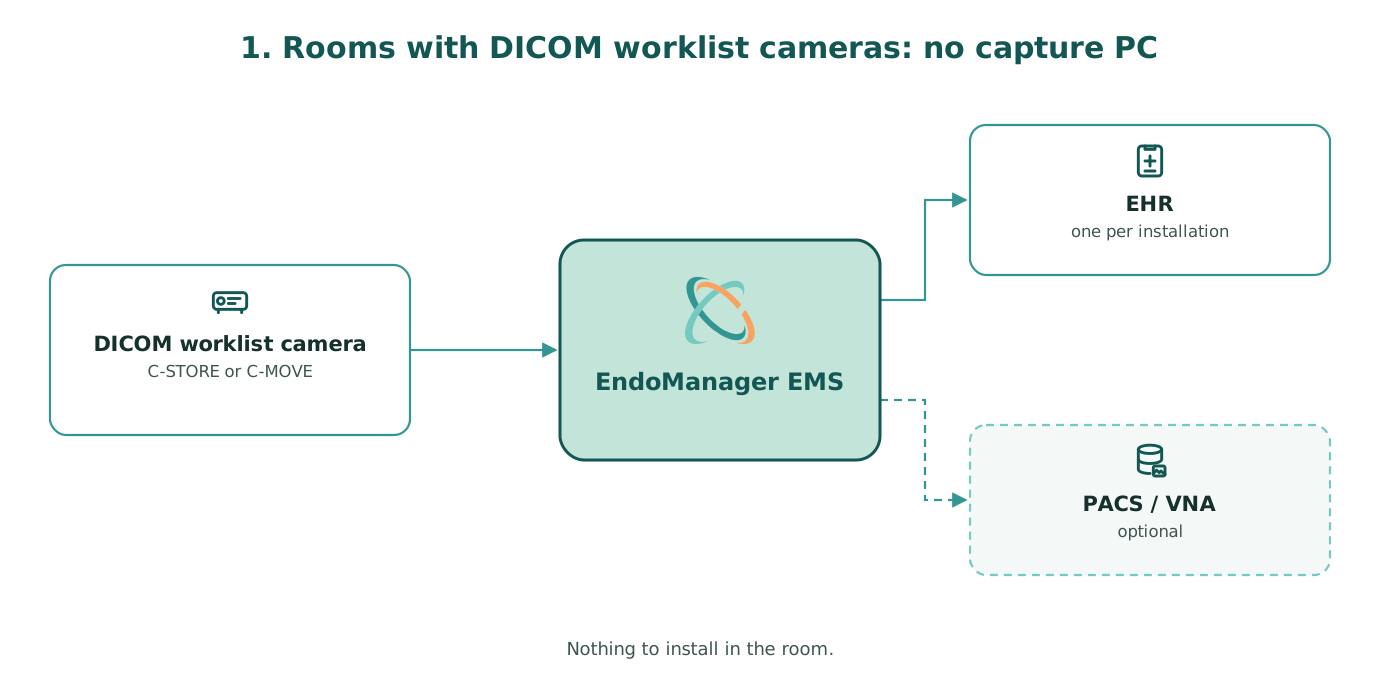
The camera or video processor gets the worklist from EndoManager and sends images back by DICOM (C-STORE or C-MOVE). EndoManager stores them and forwards them to the EHR and, if you use one, a PACS or VNA. Nothing to install in the room.
2. Rooms with a capture station
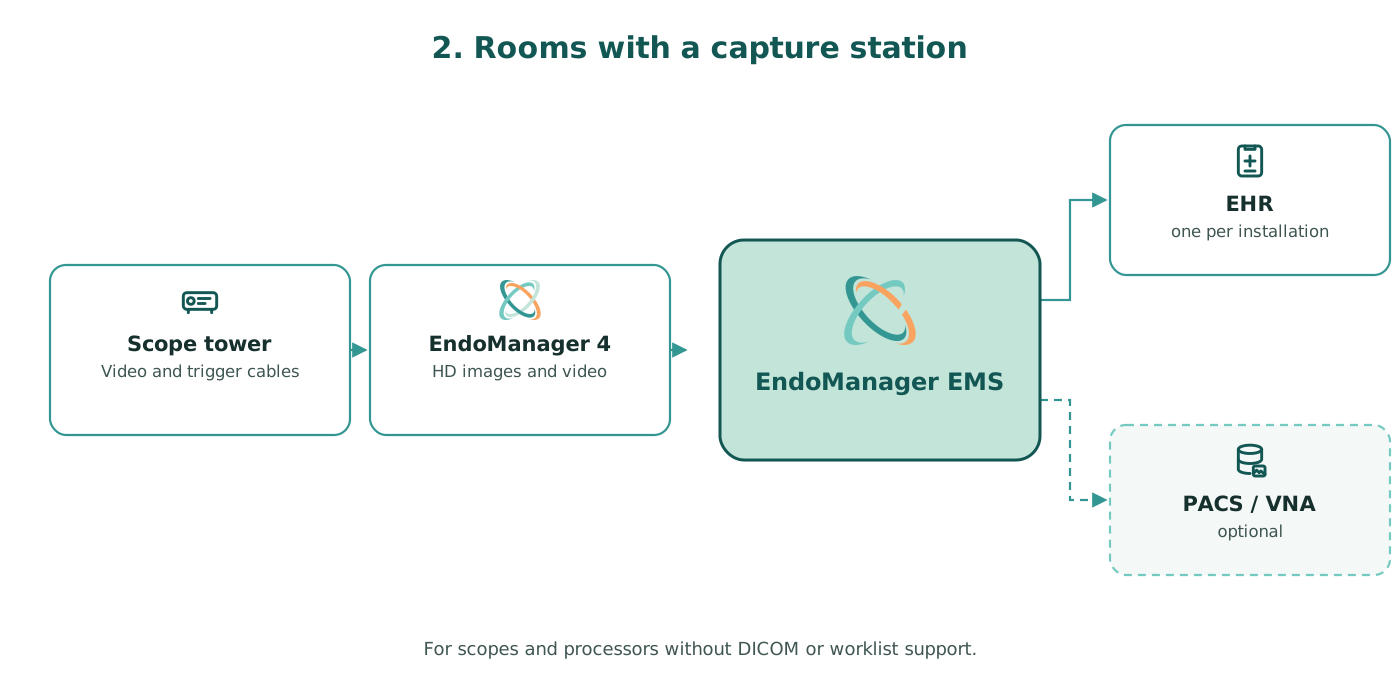
For scopes and processors without DICOM or worklist support, an EndoManager capture station connects to the tower by video and trigger cables. Staff pick the patient from the worklist, and the station captures HD images and video and sends them to the EndoManager back end. The capture station can also work standalone, sending to any PACS or VNA, or straight to Epic Gallery. Details →
3. Multi-site enterprise
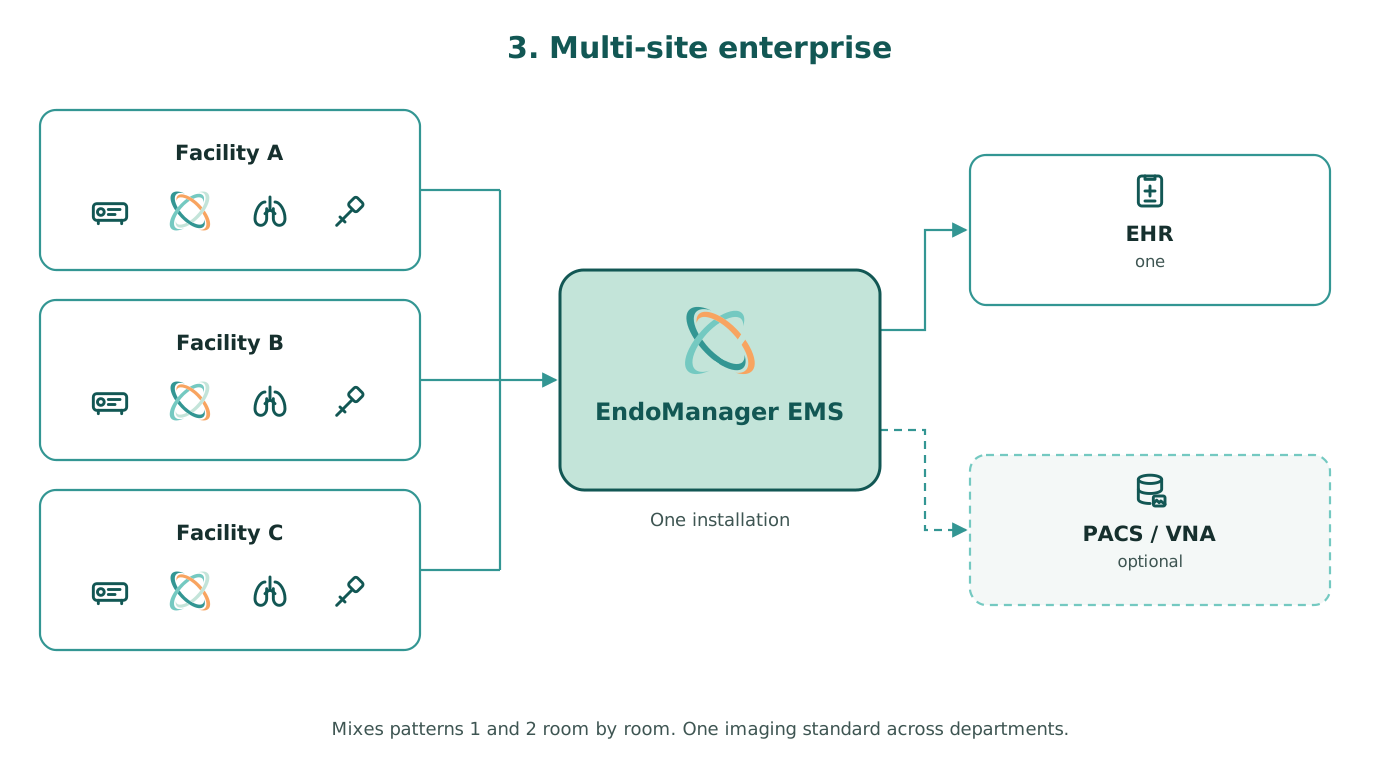
Many rooms, specialties and facilities feed one EndoManager installation, mixing patterns 1 and 2 room by room. One imaging standard across GI, pulmonary, ENT, speech pathology, urology and other departments, scaling to hundreds or thousands of capture endpoints.
Before you start
- Which rooms need a capture PC? Only rooms whose scopes or processors don't support DICOM or worklist. Everything else connects directly.
- Where does it run? The EndoManager imaging back end is an on-premises web application in your environment. ScopeCycle® is NewCura's cloud product.
- Do we need to buy an archive? No. EndoManager stores images and video itself. Use your PACS or VNA if policy requires it.
- Can our IT team support the capture hardware? Yes. Capture stations can be customer-provided PCs, so your team can apply your own anti-virus, anti-malware, encryption and imaging standards.
- What do you need from our interface team? HL7 orders, SIU and ADT feeds in; destinations for images out (Lumens, Gallery, Cerner, PACS/VNA); network access for rooms.
How to evaluate any imaging integration
Ask every vendor, including us, to show these in a live demonstration rather than a datasheet:
- An order in your EHR becomes a worklist entry in the room without retyping.
- A captured image lands on the right patient and procedure, in the note your physicians actually use.
- Every scope and processor model you own feeds the same workflow.
- Video is captured, stored and retrievable six months later.
- The vendor provides DICOM conformance and HL7 interface documentation.
- You know who to call at 2 a.m., and exactly what happens when you do.
Related
EndoManager EMS · EndoManager Report Writer (EM3) · ScopeCycle® · Epic · Migration · Security · Book a demo and get a quote
Epic and Lumens are registered trademarks of Epic Systems Corporation. Oracle Health and Cerner are trademarks of Oracle and/or its affiliates. MEDITECH is a trademark of Medical Information Technology, Inc. Olympus is a registered trademark of Olympus Corporation. FUJIFILM is a registered trademark of FUJIFILM Holdings Corporation. PENTAX is a registered trademark of HOYA Corporation.
Frequently asked questions
Which EHRs does EndoManager integrate with?
Epic, Oracle Health (Cerner) and MEDITECH.
How do endoscopy images get into the EHR?
The EHR sends the order to EndoManager, which puts the patient on the room's worklist. The room captures, either from a DICOM worklist camera or EndoManager 4. EndoManager then forwards the images by API, HL7 MDM or file drop, mostly hands-free.
Does EndoManager work with our PACS or VNA?
Yes. EndoManager routes images to third-party PACS and VNA systems. A PACS or VNA is optional, because EndoManager can store images on its own.
Do we need a capture PC in every procedure room?
No. Rooms with DICOM worklist cameras connect straight to EndoManager. Only scopes and processors without DICOM or worklist support need a capture station.
Which scope brands are supported?
Fujifilm, Olympus, Pentax and other camera systems, including mixed fleets.
Is EndoManager listed in Epic Showroom?
Yes. The listing "EndoManager EMS by NewCura" has Toolbox status in the Endoscope Data Capture category. Epic does not endorse, certify, or verify listed software. See the listings.
Where do EM3's finished reports go?
To whatever EHR the site uses.
Can we get interface documentation before we buy?
Yes. Your NewCura integration engineer can share the interface specification, DICOM conformance statement and HL7 samples during evaluation. Call 866.578.5713 or use Talk to an integration engineer.
Last reviewed .